
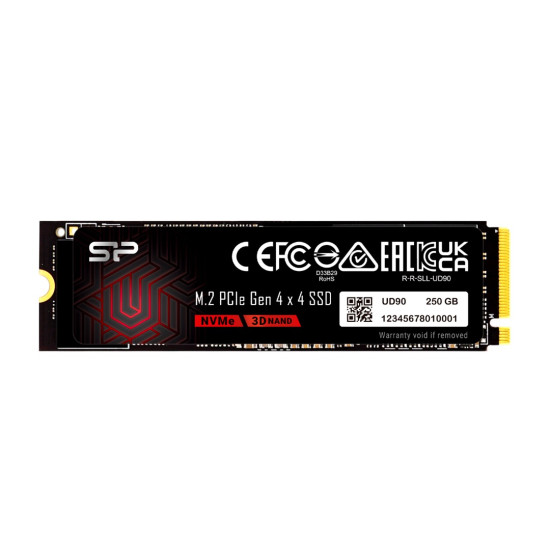
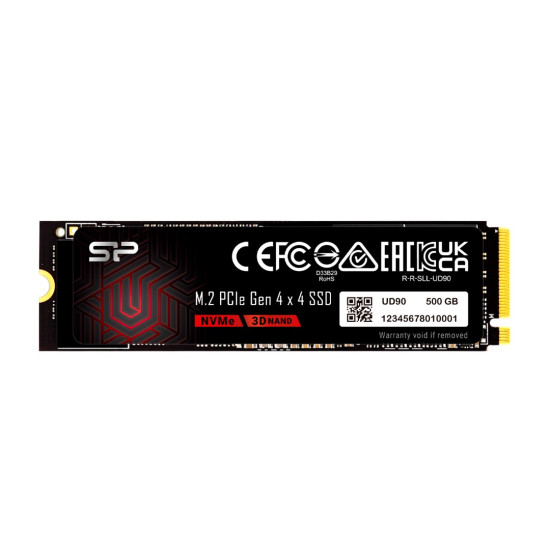
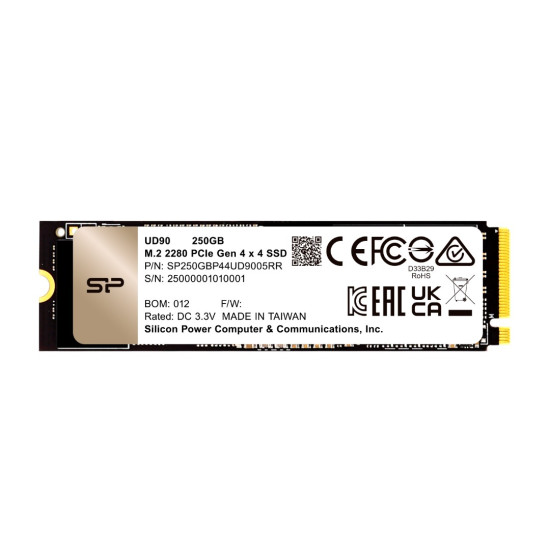
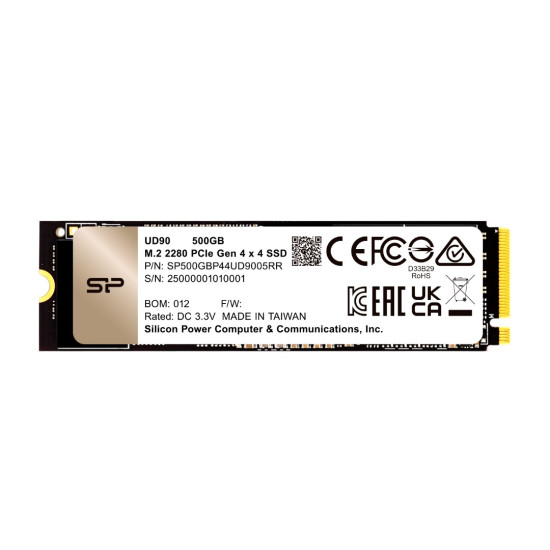
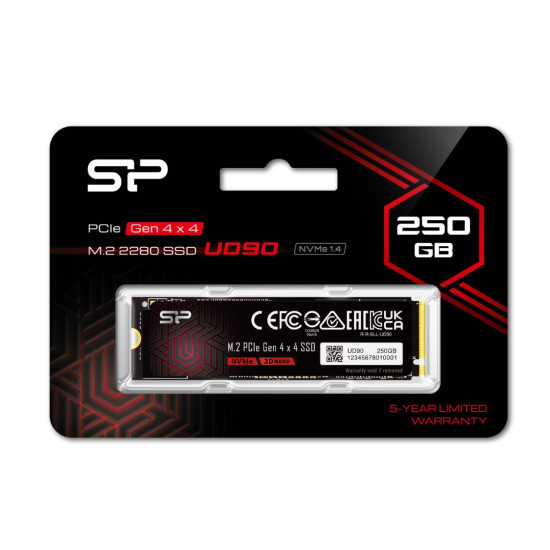
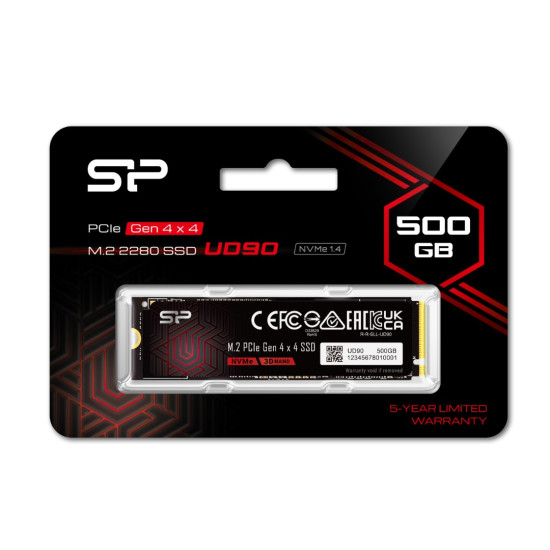


- Price: 10,500৳
- Stock: In Stock
- Brand: Silicon Power
- Model: UD90
- MPN: #SP500GBP44UD9005
Payment Options
Available Options
Key Features
- PCIe Gen4 x4 — Up to 5000/4800MB/s Read/Write
- NVMe 1.4 + HMB for faster performance
- 3D NAND for reliable storage
- 250GB & 500GB capacities
- SLC Cache + LDPC for speed & reliability
- RAID + E2E Protection for data security
- M.2 2280 compact form factor
| Main Features | |
| Certification | CE, FCC, UKCA, BSMI, Green dot, WEEE, RoHS, KC |
| MTBF | 1,500,000 hours |
| Storage | |
| Read Speed | up to 5000MB/s* |
| Write Speed | up to 4800MB/s* |
| Physical Attribute | |
| System Requirements | Computer with M.2 slot supporting PCIe interface and an OS with NVMe support |
| Temperature | |
| Operating Temperature | 0°C - 70°C |
| Shock resistance | 1500g/0.5ms |
| Physical Specification | |
| Dimensions | 22.0mm x 80.0mm x 3.5mm |
Silicon Power UD90 M.2 SSD: Complete Buyer's Guide
The Silicon Power UD90 is a budget, DRAM-less PCIe Gen4 x4 NVMe SSD in the M.2 2280 form factor, built around a Phison E21T controller and TLC NAND. Per Silicon Power's official capacity-specific specifications, the 250GB model is rated up to 4,700MB/s read and 1,500MB/s write, while the 500GB model reaches up to 5000MB/s and write speeds up to 4800MB/s. It suits budget PC and PS5 storage upgrades, though buyers should know that write speeds and to a lesser extent read speeds scale up meaningfully with capacity on this drive. The Silicon Power UD90 is a budget-focused PCIe Gen4 x4 NVMe SSD, available across multiple capacities including 250GB and 500GB. It's built around a DRAM-less design and a Phison E21T controller, positioned as an affordable step up from PCIe Gen3 and SATA drives. This guide covers the core specs for both the 250GB and 500GB models, explains why their performance differs meaningfully despite sharing a product name, and lays out who the drive fits and who it doesn't.What Is the Silicon Power UD90?
The Silicon Power UD90 is a DRAM-less NVMe SSD using a PCIe Gen4 x4 interface, NVMe 1.4 protocol, and TLC NAND flash, built around Phison's E21T controller. It's manufactured by Silicon Power and sold across five capacities: 250GB & 500GB. It's marketed explicitly as a value-tier drive Silicon Power's own product copy describes it as delivering "the power of PCIe 4.0" at a "budget-friendly" price available at Monarch IT, positioned below the company's higher-performance XS70 and US75 Gen4 series.
Who Should Buy the Silicon Power UD90?
This drive fits well for:
- Budget PC builders who want genuine PCIe Gen4 responsiveness without paying flagship Gen4 pricing.
- Buyers needing a small, affordable boot/OS drive, particularly the 500GB model, which offers meaningfully better write performance than the 250GB for a modest price difference.
- Laptop and small-form-factor builders who value the DRAM-less design's lower power draw and cooler running temperatures compared to flagship Gen4 drives.
- Secondary storage use — game libraries, media, or backups — layered alongside a larger primary drive.
- AI hobbyists running local models — one manufacturer-affiliated source specifically notes the UD90's Gen4 bandwidth helps load large model checkpoints faster than a SATA SSD, though this applies more meaningfully at the higher capacities that can actually store such files.
Best Practices for Long-Term Use
- Keep some free space on the drive rather than filling it to capacity, which helps maintain consistent write performance over time — particularly relevant for the smaller, slower-writing 250GB model.
- Keep your system's NVMe and chipset drivers updated for optimal compatibility and performance.
- Use the 500GB (or larger) model rather than the 250GB if your workload involves frequent large file writes, given the substantial official write-speed difference between the two.
- Avoid operating the drive outside its rated 0°C–70°C operating temperature range for extended periods.
- Keep basic backups of important data, as with any storage device — TBW and MTBF are statistical estimates, not guarantees against individual drive failure.
Endurance and Longevity: TBW and MTBF
Silicon Power's official MTBF estimate for the UD90 is 1,500,000 hours across all capacities, but a confirmed, capacity-specific TBW (terabytes written) figure isn't consistently documented — third-party sources cite conflicting numbers (one lists 600TBW for the 250GB model, another lists 300TBW for the 500GB model, an unusual pairing since TBW would typically be expected to rise with capacity, not fall) — so this guide treats any single TBW figure for these capacities as unconfirmed rather than presenting one as fact.
TBW is a manufacturer's estimate of how much data can be written to a drive over its lifetime before failure risk meaningfully increases, and it typically scales upward with capacity within the same product line, since larger drives generally have more total NAND write endurance across more flash dies. The specific figures found for the UD90's 250GB and 500GB models don't clearly follow that expected pattern across the sources checked for this guide, which suggests at least one of those third-party figures may be inaccurate, outdated, or mislabeled. Buyers who need a precise, reliable TBW figure for warranty or planning purposes should request current, capacity-specific confirmation directly from Silicon Power or an authorized retailer rather than relying on a single third-party listing.
What Does "DRAM-less" and "HMB" Mean?
Direct answer: A DRAM-less SSD design omits the dedicated onboard memory chip that higher-end SSDs use to manage data mapping, instead relying on Host Memory Buffer (HMB) technology to borrow a small portion of the host system's RAM — a cost- and power-saving approach that performs well for typical consumer workloads but can show reduced consistency during sustained, heavy write operations compared to DRAM-equipped drives.
The UD90 relies on a small internal SRAM cache integrated into its Prison E21T controller (reported by one source as roughly 64MB, and by another as generally in the 32–128MB range depending on capacity) rather than a separate dedicated DRAM chip. For typical consumer use — booting an OS, loading applications, moderate file transfers — this rarely causes a noticeable issue. It becomes more relevant during large, sustained write operations that exceed the drive's SLC cache, where DRAM-equipped drives generally maintain more consistent performance.
How to Install the Silicon Power UD90
- Power down and unplug your system, then ground yourself to avoid static discharge before handling the drive. Why: protects both you and sensitive electronic components. Expected result: a safely de-energized system ready for hardware installation.
- Locate an open M.2 slot on your motherboard that supports PCIe/NVMe drives, ideally a Gen4-capable slot to realize the drive's full rated speed (it will also work, at Gen3 speeds, in a Gen3-only slot). Why: confirms compatibility and expected performance level before installation. Expected result: a confirmed, compatible M.2 slot identified.
- Insert the drive at an angle into the slot, then gently press it flat and secure it with the mounting screw. Why: proper seating and mounting prevent connection issues and physical damage from vibration. Expected result: the drive sits flush and securely fastened to the motherboard.
- Power on the system and enter BIOS/UEFI to confirm the drive is detected. Why: verifies the physical installation was successful before proceeding to OS-level steps. Expected result: the drive appears in the BIOS/UEFI storage device list.
- Initialize and format the drive within your operating system (or install your OS directly to it, if using it as a boot drive). Why: a new drive needs to be initialized and formatted before it can store data. Expected result: the drive appears as usable storage in your OS, ready for data or an OS installation.
- Update your motherboard's chipset/NVMe drivers if needed, particularly on older systems. Why: ensures optimal compatibility and performance recognition for the NVMe protocol. Expected result: stable, expected read/write performance matching the drive's rated specifications for your capacity.
Buying Advice
Because official Silicon Power specifications show a substantial write-speed gap between the 250GB and 500GB UD90 models and because several third-party sources publish figures that conflict with those official numbers — always check Silicon Power's own current, capacity-specific spec page for the exact SKU you're buying before comparing it against other drives or making a final decision. Given the additional inconsistency found in third-party TBW figures for these capacities, buying from a retailer with a clear return policy is a sensible precaution if endurance is a significant factor in your decision.
Where to Buy the Silicon Power UD90 in Bangladesh
Direct answer: Monarch IT Limited is the authorized distributor of Silicon Power products in Bangladesh, so buyers in Bangladesh should purchase the UD90 (250GB or 500GB) through Monarch IT or its authorized retail partners to ensure the drive is officially imported and backed by valid manufacturer warranty support.
This is a particularly relevant consideration for the UD90 specifically, given the spec inconsistencies across international retailer listings and third-party sources discussed earlier in this guide. Buying through an authorized local channel like Monarch IT reduces the risk of ending up with a gray-market unit of uncertain origin, and it gives Bangladeshi buyers a single, locally accountable source to confirm the exact capacity, official warranty terms, and after-sales support available for their specific unit — rather than relying on a foreign retailer's listing that may not reflect what's actually sold or supported in Bangladesh.
FAQs
- What's the difference between the 250GB and 500GB Silicon Power UD90?
Per official specs, the 250GB model is rated up to 4,700MB/s read / 1,500MB/s write, while the 500GB model reaches up to 5000MB/s and write speeds up to 4800MB/s— a substantial write-speed difference, not just a capacity difference. - Can I use the Silicon Power UD90 for PS5 storage expansion?
No Sony requires a minimum 5,500MB/s sequential read speed for PS5 storage expansion, and neither the 250GB nor 500GB UD90 meets that requirement per official specs. - Is the Silicon Power UD90 DRAM-less?
Yes, it uses a DRAM-less design with Host Memory Buffer (HMB) support and a small internal SRAM cache in its Phison E21T controller, rather than a dedicated separate DRAM chip. - What controller does the Silicon Power UD90 use?
A Phison E21T controller, across the 250GB and 500GB capacities. - Why do some websites list different speeds for this drive?
Several third-party sources publish figures that conflict with Silicon Power's own official capacity-specific spec table, likely because some aggregators apply a single "up to" figure from the fastest capacity in the series to every SKU. This guide treats the manufacturer's official capacity-by-capacity table as authoritative. - What is the warranty on the Silicon Power UD90?
A 5-year limited warranty across all capacities, per Silicon Power's official specifications with Monarch official warranty - What is the TBW (endurance) rating of the 250GB or 500GB model?
This isn't consistently documented — third-party sources cite conflicting figures that don't clearly follow the usual pattern of TBW increasing with capacity, so treat any single cited figure with caution and confirm directly with Silicon Power or your retailer if it matters to your decision. - Is 250GB or 500GB enough for gaming?
Both are modest capacities by current standards; a single modern AAA game can exceed 100GB, so either capacity is better suited to an OS/boot drive role or light secondary storage than a large gaming library. - Does the Silicon Power UD90 need a heatsink?
No, it doesn't include one and generally doesn't require one, since its DRAM-less design and value-tier performance generate less heat than flagship Gen4 drives. - What NAND flash type does it use?
TLC NAND, reported by third-party teardown sources as 176-layer, though this isn't explicitly confirmed on Silicon Power's own capacity-specific spec page for these two capacities. - Is the Silicon Power UD90 a good choice for an older PC?
It will work in a PCIe Gen3-only M.2 slot (running at Gen3 speeds), but since it's specifically a Gen4 drive, buyers with Gen3-only systems may get similar practical performance from a purpose-built, typically cheaper Gen3 drive instead. - How much does the Silicon Power UD90 cost?
The 1TB model launched in the BD at 8500BDT with 5years official warranty. - What's the MTBF rating of the Silicon Power UD90?
An estimated 1,500,000 hours, consistent across Silicon Power's official documentation for this drive, and a statistical reliability estimate rather than a guaranteed individual drive lifespan. - Can this drive be installed in a laptop?
Yes, provided the laptop has an available M.2 slot supporting PCIe/NVMe drives in the 2280 length — check your laptop's specifications before purchasing. - Is the 500GB model worth the extra cost over the 250GB?
For most buyers, yes — the substantially faster official write speed (2,700MB/s vs. 1,500MB/s) and doubled capacity generally represent good value for a relatively modest price increase. - What's the biggest downside of the Silicon Power UD90 at these capacities?
The most consistently notable issues are the 250GB model's comparatively slow write speed and the inconsistent, sometimes contradictory TBW documentation available for both the 250GB and 500GB capacities across different sources.
What is the price of Silicon Power UD90 2280 PCIe Gen4 x4 250GB/500GB NVMe SSD in Bangladesh 2026?
The latest price of Silicon Power UD90 2280 PCIe Gen4 x4 250GB/500GB NVMe SSD in Bangladesh is 10,500৳. You can buy the Silicon Power UD90 2280 PCIe Gen4 x4 250GB/500GB NVMe SSD at best price from our website or visit any of our showrooms to make your purchase