





 Order Track


Graphics Card Price in Bangladesh 2026
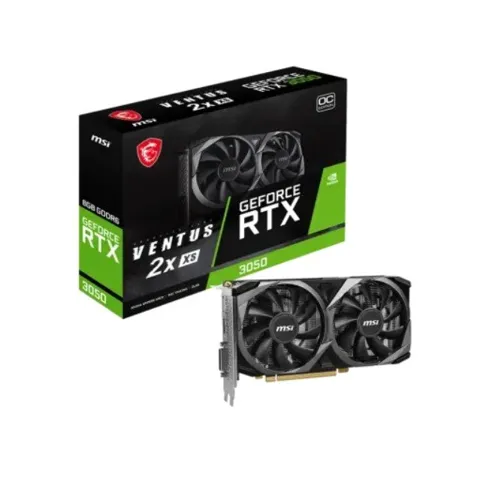
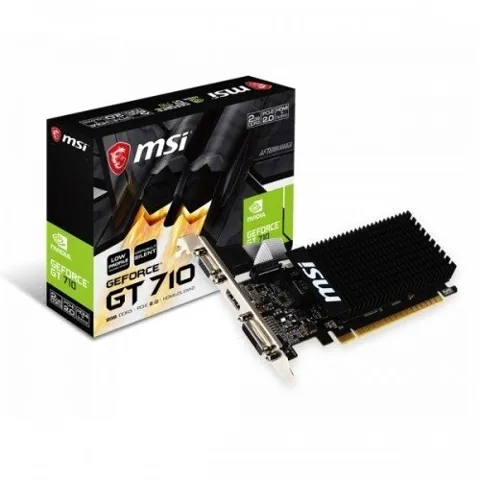
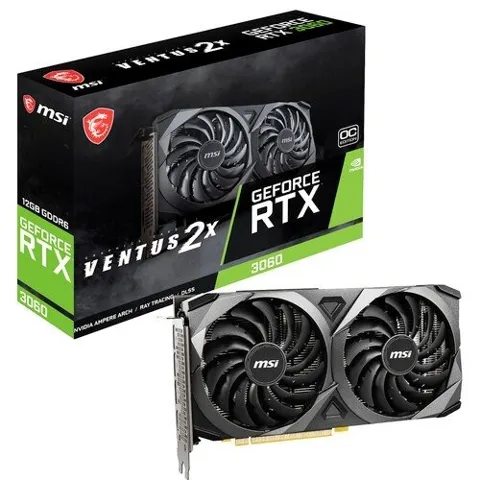
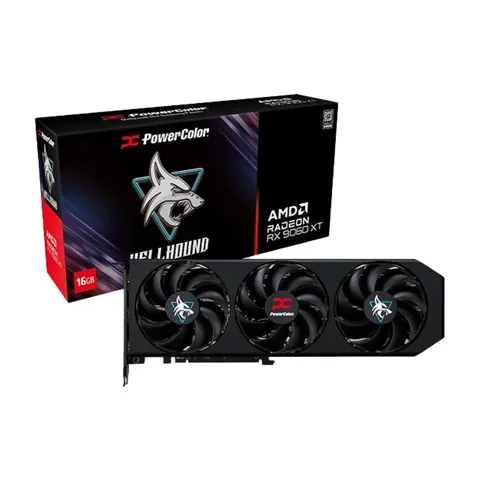
Monarch IT, the premier Graphics Card shop in Bangladesh, has updated its price list as of 22-11-2026. With a range spanning from ৳9,400 to ৳560,000, they offer 64 different products. Among these, 16 items are currently in stock, 7 of them with the best discount price.
 )
About Graphics Card
Graphics Card Price in Bangladesh 2026: Latest GPU Buying Guide
Looking for the latest graphics card price in Bangladesh? Whether you're building a gaming PC, upgrading your desktop, editing 4K videos, or working with 3D applications, choosing the right graphics card can make a significant difference in performance.
At Monarch IT Limited, we help customers explore graphics cards from leading brands, including MANLI, PowerColor, ASUS, MSI, Gigabyte, and other popular manufacturers. From budget-friendly GPUs for everyday gaming to high-performance graphics cards for demanding creative workloads, the right choice depends on your budget, performance requirements, and PC configuration.
In this guide, you'll learn about graphics card prices in BD, NVIDIA GeForce vs AMD Radeon vs Intel Arc, graphics card specifications, VRAM requirements, and how to choose the best GPU for your desktop PC.
Want to compare available models? Explore the graphics card collection at Monarch IT Limited to check current prices, product specifications, stock availability, and warranty information.
Latest Graphics Card Price in Bangladesh
The price of a graphics card in Bangladesh depends on its GPU model, memory capacity, manufacturer, cooling system, and market availability. Entry-level graphics cards generally cost less than high-performance models designed for 1440p gaming, 4K gaming, and professional workloads.
Because exchange rates, import costs, and product availability change over time, there is no single fixed graphics card price for every model. Checking current product listings is the best way to find an accurate price before purchasing.
The following table provides a framework for comparing graphics cards by category. Add verified prices and links from your live inventory before publishing.
|
Graphics card category |
Best suited for |
What to consider |
|
Entry-level GPU |
Everyday gaming,
esports, basic creative work |
Price, VRAM, power
consumption |
|
Budget gaming GPU |
1080p gaming
and general use |
Game
performance and memory capacity |
|
Mid-range GPU |
High-quality 1080p and
1440p gaming |
Performance per taka,
VRAM, upscaling |
|
High-end GPU |
4K gaming,
demanding creative workloads |
Rendering
speed, memory, cooling |
|
Professional GPU |
Specialized design and
compute workloads |
Application
compatibility, drivers, memory |
For the latest prices, browse the available graphics cards at Monarch IT Limited and compare the specifications of individual models.
Why Does the Graphics Card Price in BD Change?
If you've checked GPU prices at different times, you may have noticed that the same model can cost different amounts. Several factors influence the graphics card price in BD.
1. Dollar exchange rates
Most graphics cards sold in Bangladesh are imported. Changes in currency exchange rates can affect import costs and, ultimately, retail prices.
2. New graphics card launches
When NVIDIA, AMD, or Intel introduces a new GPU generation, pricing across existing models may change. Previous-generation cards can become attractive alternatives, although discounts depend on remaining stock and market demand.
3. Global demand and supply
Gaming demand, AI-related computing, production capacity, and distributor inventory can influence GPU availability. Popular models may become more expensive when supply is limited.
4. Import costs and logistics
Shipping, customs duties, applicable taxes, and distribution expenses contribute to the final retail price of imported graphics cards.
5. Manufacturer and cooling design
Two graphics cards built around the same GPU can have different prices. Differences in cooling systems, fan design, factory overclocking, PCB design, dimensions, and warranty arrangements can influence the final cost.
6. VRAM and performance level
Graphics cards with greater memory capacity or more powerful processing capabilities generally occupy higher price categories. However, VRAM alone does not determine performance; the underlying GPU architecture and processing power matter too.
Buying tip: Compare the exact GPU model and its specifications rather than choosing solely by brand name or memory capacity.
NVIDIA vs AMD vs Intel: Which Graphics Card Should You Buy?
Three major GPU platforms serve most mainstream desktop graphics card buyers: NVIDIA GeForce, AMD Radeon, and Intel Arc. Each offers different advantages depending on gaming preferences, creative applications, and budget.
NVIDIA GeForce
NVIDIA GeForce graphics cards are popular among gamers, streamers, and creative professionals. Supported RTX models offer ray tracing, DLSS features, and GPU-accelerated workflows in compatible applications.
Best for: Gamers who prioritize ray tracing, supported AI-assisted graphics features, and creative software compatibility.
AMD Radeon
AMD Radeon graphics cards offer competitive gaming performance across several price categories. Depending on the model, Radeon GPUs can provide attractive rasterization performance and substantial VRAM. Supported cards also offer AMD FSR upscaling technology.
Best for: Gamers comparing raw performance, memory capacity, and overall value for money.
Intel Arc
Intel Arc provides an alternative for buyers considering budget and mid-range graphics cards. Supported models offer modern graphics features and media capabilities, although performance and software compatibility vary by product.
Best for: Budget-conscious PC builders who want to compare alternative GPU options.
There is no universal winner. Compare specific models at similar prices, considering gaming benchmarks, power consumption, VRAM, driver support, and the applications you use.
Integrated Graphics vs Dedicated Graphics Card
Before spending money on a GPU, consider whether you actually need a dedicated graphics card.
An integrated GPU is built into a processor or system-on-chip and generally shares system memory. It can handle everyday tasks such as browsing, office applications, video playback, and some light gaming.
A dedicated graphics card is a separate component with its own GPU and dedicated video memory (VRAM). It is generally a better choice for demanding games, high-resolution video editing, 3D rendering, and GPU-accelerated workloads.
|
Use case |
Integrated
graphics |
Dedicated GPU |
|
Office work and
browsing |
Usually sufficient |
Optional |
|
Streaming and video playback |
Usually
sufficient |
Optional |
|
Competitive esports |
Depends on the game
and hardware |
Often beneficial |
|
Modern AAA |
Limited on
many systems |
Recommended |
|
4K video editing |
Depends on the
workflow |
Often beneficial |
|
3D rendering and GPU computing |
Limited for
demanding workloads |
Often
recommended |
If you primarily use your PC for documents, browsing, and streaming, integrated graphics may be sufficient. If you game regularly or work with demanding creative applications, a dedicated GPU can be a worthwhile investment.
Entry-Level vs Mid-Range vs High-End Graphics Cards
Choosing a GPU category first can help narrow down your options and prevent unnecessary spending.
Entry-level graphics cards
Entry-level graphics cards are designed for budget-conscious PC builders, casual gamers, and users who need more graphics performance than their integrated GPU provides.
They can be suitable for esports titles, lighter games, and selected creative applications. Performance depends on the specific model, game settings, and system configuration.
Consider this category if: You want an affordable upgrade for 1080p gaming or everyday graphics-intensive tasks.
Mid-range graphics cards
Mid-range GPUs are often a practical choice for gamers who want a balance between price and performance. Many models target 1080p gaming at high settings or 1440p gaming with appropriate settings and upscaling.
Cards such as the NVIDIA GeForce RTX 5060 Ti and selected AMD Radeon RX models are worth comparing according to their local prices and performance.
Consider this category if: You want a versatile gaming PC without spending flagship-level money.
High-end graphics cards
High-end GPUs target demanding gaming and professional workloads. Depending on the model, they can deliver high frame rates at 1440p, 4K gaming performance, faster rendering, and greater capacity for GPU-intensive tasks.
However, these cards can require a larger power supply, more case space, and better cooling.
Consider this category: if you need premium gaming performance or frequently run demanding rendering and production workloads.
Remember that GPU tiers are broad categories, not guarantees. Check independent benchmarks for the exact model before making a purchase.
Popular Graphics Card Brands in Bangladesh
When comparing graphics card prices in Bangladesh, the GPU chip is only part of the decision. The manufacturer and specific card design can also affect cooling, noise, size, and price.
MANLI
MANLI offers NVIDIA-based graphics cards for different performance categories. Compare the exact GPU, cooling design, memory configuration, and warranty terms.
PowerColor
PowerColor specializes in AMD Radeon graphics cards, with product lines designed for different performance and cooling requirements.
ASUS
ASUS offers graphics cards across its ROG, TUF Gaming, and other product lines, with different cooling solutions and design features.
MSI
MSI provides graphics cards with different cooling configurations, dimensions, and performance profiles across multiple price segments.
Gigabyte
Gigabyte offers graphics cards with a range of cooler designs, product dimensions, and feature sets.
Other manufacturers available across the wider market include PNY, ASRock, Sapphire, Zotac, Colorful, and Galax. Actual availability varies by retailer.
For the best value, compare cards based on the same GPU rather than assuming every card carrying the same model name performs identically.
How to Choose the Best Graphics Card for Your PC
The best graphics card in Bangladesh is not necessarily the most expensive one. It is the card that meets your performance needs, fits your budget, and works properly with your existing system.
1. Set your budget
Decide how much you want to spend before comparing products. Include the possible cost of a power supply upgrade or additional cooling if your chosen GPU requires it.
2. Match the GPU to your monitor
Your monitor's resolution and refresh rate help determine how much graphics performance you need.
- 1080p: Suitable for budget and mid-range GPUs, depending on your desired frame rate and game settings.
- 1440p: Often benefits from a stronger mid-range or high-end GPU.
- 4K: Generally requires a more powerful graphics card, especially for demanding games at high settings.
3. Choose sufficient VRAM
VRAM stores graphics data, including textures, frame buffers, and other assets used by games and creative applications.
As a general starting point, 8GB can be sufficient for many 1080p gaming scenarios, while 12GB or more can provide additional flexibility for some 1440p, 4K, and creative workloads. Actual requirements vary significantly by application and settings.
Do not choose a card based on VRAM alone. A faster GPU with a suitable memory configuration may outperform a slower GPU with more memory.
4. Check desktop PC compatibility
Before ordering, verify the following:
- Your motherboard has a compatible PCIe slot.
- Your PC case has enough clearance for the card's length, width, and thickness.
- Your power supply meets the GPU manufacturer's recommendations.
- The required PCIe or other power connectors are available.
- Your case has sufficient airflow for the card's cooling requirements.
5. Consider CPU bottlenecks
A powerful GPU paired with an older or slower processor may not reach its full potential in CPU-intensive games or applications. Check CPU and GPU benchmarks for your intended resolution and workload.
6. Compare software features
Depending on the model, useful features may include ray tracing, DLSS, FSR, video encoding, AI acceleration, and application-specific optimizations.
Check which features your preferred games and software actually support.
7. Verify warranty and after-sales support
Buy from a trusted retailer and review the warranty duration, coverage, service procedure, and return policy. Keep the invoice and product documentation after purchasing.
Where to Buy a Graphics Card Online in Bangladesh
If you want to buy a graphics card online in Bangladesh, choose a retailer that provides clear pricing, genuine products, accurate specifications, and transparent warranty information.
Monarch IT Limited serves customers across Bangladesh and offers a range of computer hardware and technology products. You can compare available GPU models, review their specifications, and choose a graphics card according to your budget and PC requirements.
Before ordering, check:
- Current product price and stock availability
- Exact GPU model and memory configuration
- Manufacturer and model-specific specifications
- Warranty terms and service arrangements
- Delivery charges, estimated delivery time, and return policy
These checks help you make a more informed purchase and reduce the risk of receiving a product that does not meet your requirements.
Ready to upgrade your PC? Visit Monarch IT Limited's graphics card category page to compare available models and check their current prices.
Tips to Get the Best Graphics Card Price in BD
You do not always need the latest GPU to get excellent performance. These tips can help you find better value.
- Compare identical GPU models. Check specifications, cooling designs, warranty, and total cost.
- Consider previous-generation cards. An older GPU may provide better value when its price and performance are competitive.
- Look for seasonal promotions. Compare the final price rather than relying only on advertised discounts.
- Check total upgrade costs. A GPU that requires a new power supply may cost more overall than expected.
- Choose features you will actually use. Avoid paying extra for premium features that do not benefit your workload.
- Review independent benchmarks. Compare average frame rates, performance consistency, power consumption, and temperatures.
- Confirm stock before purchasing. Check the current listing or contact the retailer if availability is unclear.
A little research can help you spend your budget on meaningful performance improvements instead of unnecessary specifications.
Latest Graphics Card Price in Bangladesh (October 2026)
|
Graphics card
model |
VRAM |
Listed price (BDT) |
|
6GB |
৳35,900 |
|
|
8GB |
৳45,900 |
|
|
8GB |
৳54,800 |
|
|
8GB |
৳68,800 |
|
|
12GB |
৳125,000 |
|
|
16GB |
৳87,000 |
|
|
16GB |
৳137,000 |
|
|
16GB |
৳185,000 |
|
|
32GB |
৳295,000 |
Which graphics card should you choose?
- Budget gaming: Compare the RTX 3050 and RTX 5050 based on your target games and budget.
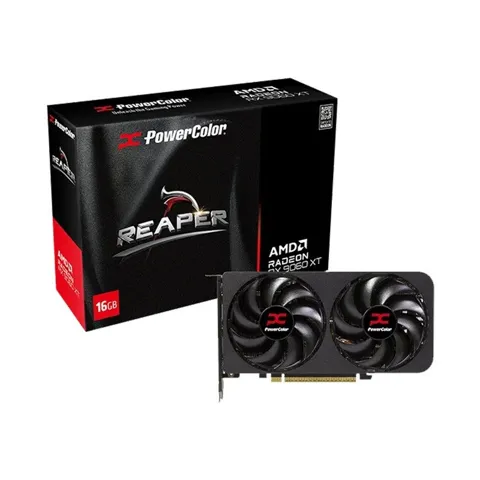
- Modern gaming: Consider the RTX 5060 or comparable Radeon options.
- 1440p gaming: Compare the RX 7800 XT and RTX 5070-class cards using independent benchmarks.
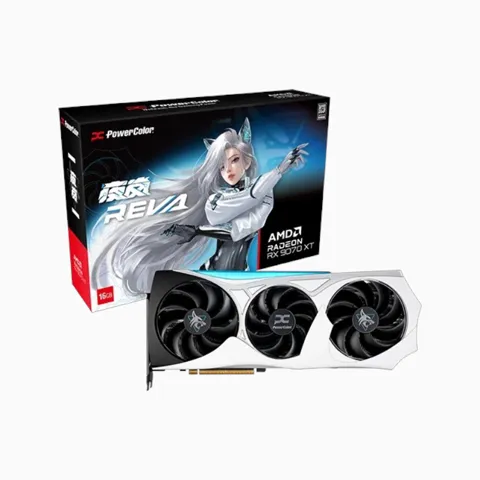
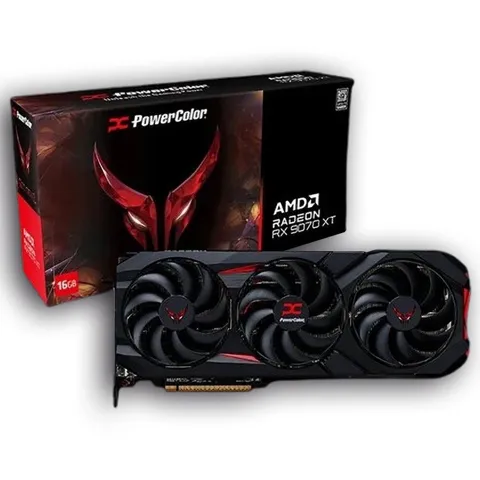
- High-end gaming: Consider the RX 9070 XT or RTX 5070 Ti, depending on your preferred features and budget.
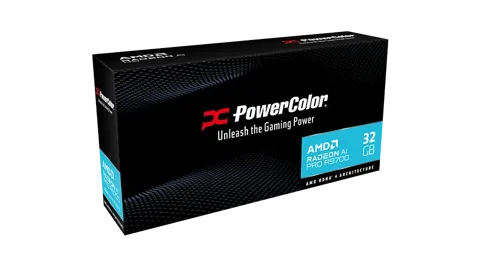
- Professional workloads: Evaluate the Radeon AI PRO R9700 against your software's compute and memory requirements.
Where to Buy a Graphics Card in Bangladesh
If you're looking for a reliable place to buy a graphics card in Bangladesh, Monarch IT Limited offers graphics cards and computer components for gamers, PC builders, content creators, and professional users. You can explore available GPU models, compare specifications, and check current prices before choosing a graphics card that fits your budget.
Visit the official website: Monarch IT Limited
Why Buy a Graphics Card from Monarch IT Limited?
- Product selection: Explore graphics cards from brands including MANLI and PowerColor, ASUS, MSI, Gigabyte, and other popular manufacturers, subject to current availability.
- Price comparison: Compare available models and specifications to find the right GPU for your needs.
- Warranty information: Review the warranty terms for your selected product before purchasing.
- Online shopping: Browse product listings and contact the sales team for pricing and stock information.
- Customer support: Get assistance with product selection and compatibility questions.
Frequently Asked Questions About Graphics Card Prices in Bangladesh
1. What is the current graphics card price in Bangladesh?
The price varies by GPU model, brand, VRAM, cooling design, and availability. For accurate current prices, check the live product listings at Monarch IT Limited. A regularly updated price table can help you compare available models.
2. Which is the best graphics card in Bangladesh for gaming?
The best option depends on your budget, monitor resolution, preferred games, and desired frame rate. Budget GPUs can suit lighter 1080p gaming, while stronger mid-range and high-end cards are better suited to demanding games and higher resolutions.
3. Is NVIDIA better than AMD?
Neither brand is universally better. NVIDIA can be attractive for ray tracing, DLSS, and supported creative workflows. AMD can offer competitive gaming performance and memory capacity at certain price points. Compare specific models and local prices before deciding.
4. Are Intel Arc graphics cards worth buying?
Intel Arc can be worth considering in suitable budget and mid-range builds. Check the exact model's gaming benchmarks, driver support, application compatibility, power requirements, and local price.
5. How much VRAM do I need for gaming?
Eight gigabytes can be sufficient for many 1080p gaming scenarios, while 12GB or more can be useful for some 1440p, 4K, and memory-intensive workloads. Requirements vary with game, settings, texture quality, and application.
6. Can I install a new graphics card in my old PC?
Often, yes. Your motherboard must have a compatible PCIe slot, your case must have enough space, and your power supply must meet the GPU's requirements. CPU performance can also affect the benefits of an upgrade.
7. What is the difference between RTX, GTX, RX, Ti, Super, and OC?
RTX and GTX are NVIDIA GeForce product-family labels, while RX is used for AMD Radeon graphics products. Ti and Super identify particular NVIDIA model variants, with their relative performance depending on the specific generation and product. OC generally indicates a factory-overclocked version.
8. Can I use a gaming graphics card for video editing?
Yes. Many gaming GPUs accelerate video editing, effects, encoding, and rendering in supported applications. Check the software's recommended hardware, supported codecs, VRAM requirements, and GPU acceleration features.
9. Does a graphics card require a special power supply?
A dedicated GPU needs a suitable power supply with sufficient capacity and the required connectors. Follow the graphics card manufacturer's recommendations and consider the power requirements of your entire PC.
10. Where can I buy a graphics card with a warranty in Bangladesh?
You can explore available graphics cards at Monarch IT Limited and verify the warranty coverage for your selected model before ordering. Always confirm the current warranty terms and service process with the retailer.
Final Thoughts: Find the Right Graphics Card for Your Budget
Finding the right graphics card is about balancing price, performance, compatibility, and long-term value. Whether you are building a gaming PC, upgrading an existing desktop, or preparing a workstation for creative projects, comparing specifications and real-world benchmarks can help you make a confident decision.
Before purchasing, consider your monitor resolution, VRAM requirements, power supply, case dimensions, and preferred applications. Then compare the available NVIDIA, AMD, and Intel options that fit your budget.
Explore graphics cards at Monarch IT Limited to compare available products, review specifications, and check current pricing before upgrading your PC.